How to Automatically Sort iPhone Photos into Albums
You meant to sort those photos into albums later, and now there are a few thousand of them in your library. This guide covers what the iPhone's built-in camera can and can't do, and the realistic ways to get your photos into albums automatically.
- The iPhone's built-in camera can't choose an album when you shoot. Every shot goes into your photo library.
- You can sort by hand in the Photos app, or semi-automate with Shortcuts, but neither decides which photo goes where.
- Use a camera that lets you pick the album before you shoot, and sorting is done the moment you take the photo.
Free for up to 3 albums, with unlimited photos. iOS 17 or later. Pro is a one-time purchase with no subscription.
How the built-in camera works — every shot goes to your library
The iPhone's built-in Camera has no way to choose an album when you take a photo. Every photo and video goes into your library in the Photos app, in the order you shot them.
The Photos app can group shots by people, pets and places, but that's sorting by what's in the picture. It can't split shots by the intent only you know, such as “this is a work receipt, this one's personal” or “this goes in my older kid's album, this one in my younger kid's.”
Option 1: Sort by hand in the Photos app
If you stick to built-in features, you repeat these steps after shooting:
- Open the Photos app and find the shots in your library.
- Tap “Select” in the top right and choose the photos you want to file.
- Tap the share button (or the “…” menu) and choose “Add to Album.”
- Pick the album. You can create a new one here too.
The steps aren't hard, but it's work that piles up after every shoot. The more days or weeks go by, the longer the sorting takes. “I'll organize it later” rarely happens because of that cost.
Option 2: Semi-automate with Shortcuts — and where it breaks down
With the Shortcuts app you can bundle “get the latest photo and add it to a specific album” into a single tap. Snap a receipt, then run the shortcut.
But it has real limits:
- It can't judge intent — which photo goes in which album is still a decision you make in the moment.
- You can't trigger it by taking a photo — there's no “when I take a photo” automation trigger, so you run it manually every time.
- It's two actions, not one — shoot with the built-in camera, then run the shortcut.
Option 3: Use a camera that lets you pick the album before you shoot
Flip the order around and decide the album before you shoot. folderCamera (free, iOS 17 and later) works like the camera you already use, with a button at the top of the screen to pick the album. If you don't pick one, photos go to your library like a regular camera.
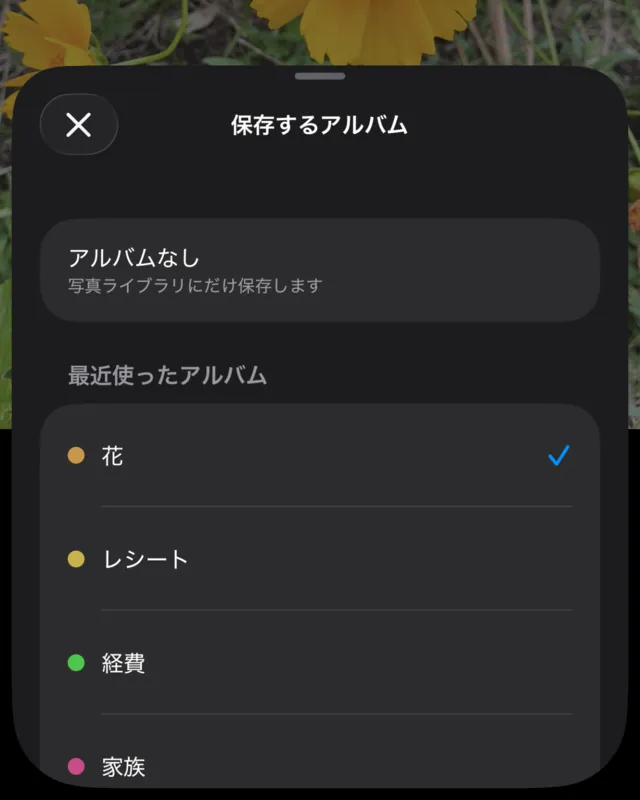
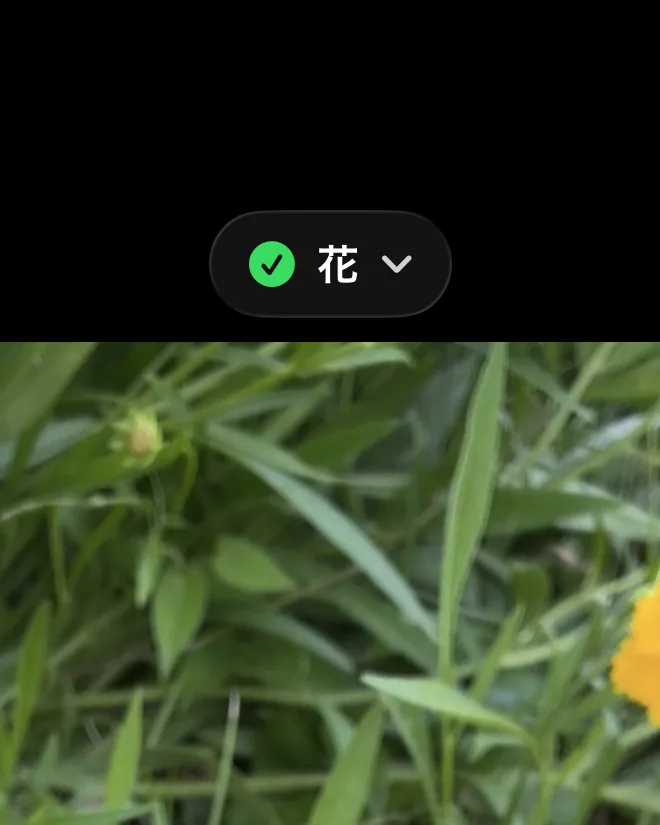
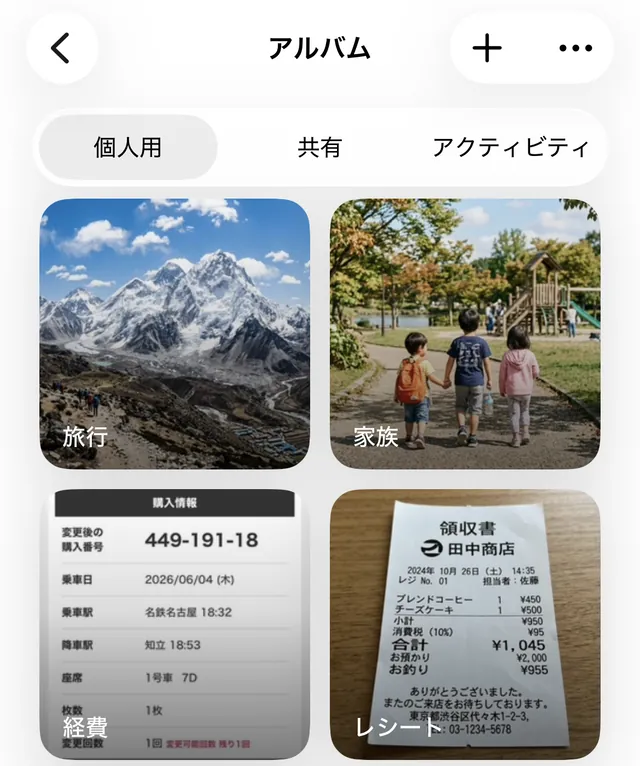
Adding a photo to an album doesn't take it out of your library; it stays there too. folderCamera sorts the photos you take from now on and doesn't classify the photos you already have.
The albums are regular albums in your iPhone's Photos app, not a separate library inside the app. They sync with iCloud Photos as usual, and if you delete the app, your photos and albums in Photos stay where they are.
Because you choose the album while the context is still in your head, there's no sorting to do afterward. It helps most when you shoot the same kinds of things over and over: receipts, an album per kid, or product photos for listings.
Frequently asked questions
Can the iPhone's built-in camera sort photos into albums automatically?
No. Every photo and video you take with the built-in camera goes into your photo library, and there is no option to choose an album at capture time. To get a shot into an album you either add it by hand in the Photos app afterward, or use a camera app that lets you pick the album before you shoot.
What's the difference between sorting later and picking the album before you shoot?
Sorting later means re-deciding the context of every shot (this one is a work receipt, this one is my older kid) long after you took it, and the backlog only grows. Picking the album before you shoot lets you choose it while the context is still in your head, so there is nothing to sort afterward.
Can I auto-sort photos that are already in my library?
folderCamera sorts the photos and videos you take from now on. For photos already in your library, select them in the Photos app and use Add to Album.
Try folderCamera
Up to 3 albums are free. There's no subscription.
Download free on the App StoreiOS 17 or later. Free to use, with an optional one-time Pro purchase.